 Volvo-Fix
Menu
Volvo-Fix / Support
Frequently asked questions
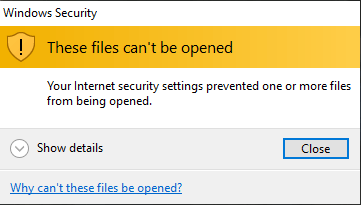
Your internet security settings prevented one or more files from being opened
Solution:
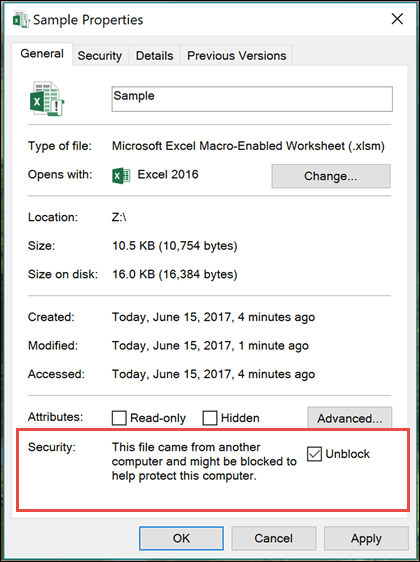
1. Right-click on the downloaded file and select " Properties " -> under the General tab, kindly select the option to Unblock the file, select OK.
2. Also See problem № 2.
3. Temporarily disable your firewall/antivirus, then ensure to run the program as administrator.
4. You may also temporarily turn off SmartScreen and controlled folder access setting:
On your search bar, type "App & Browser control" and open it.
Under "Check apps and files", set the option to Off, then check again.
I run the program but nothing happens, it doesn't start. Or Unblock option can not be set.
Solution:
1. Open Task Manager (Ctrl + Shift + Esc). Make sure the program is not in the list of processes. If there is a process with the program's name, then it needs to be turned off.
2. Make sure destination folder has less than 256 characters. For example path C:\Users\user\Desktop\VOLVO P2 CEM SERIAL NUMBER 00005xxxxxx CEM 93LC86 - ECM EDC16 95320 QWERTYUIOPASDFGHJKLZXCVBNM\VOLVO P2 CEM SERIAL NUMBER 00005xxxxxx CEM 93LC86 - ECM EDC16 95320 SOME LARGE FOLDER NAME SOME LARGE FOLDER NAME SOME L\program.exe is very large and causes problems. D o not use folders with long names.
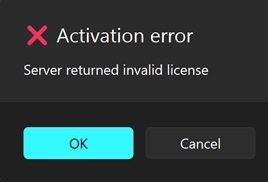
Activation error. Server returned invalid licence.
Reason:
Client-Server time mismatch. Local time is incorrect and differs significantly from actual UTC time.
Solution:
Update local PC time.
Go to Settings -> Time & language -> Date & time. Make sure the option Set time automatically is switched On . (turn off then turn on again).
How to download program or update.
1. Go to http://83.229.84.247:8501/ .
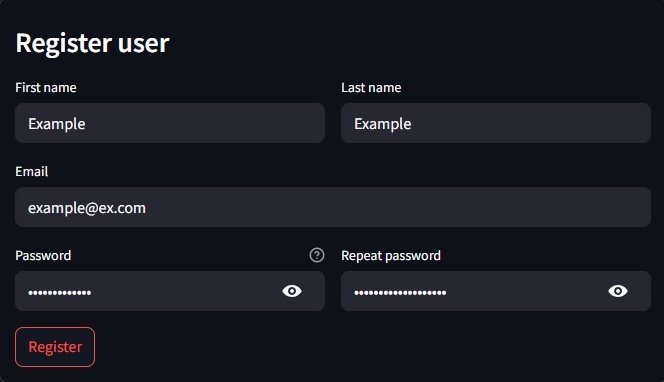
2. If you don't have account registered -> go to Create new account page and register using your email.
3. Login.
4. Go to Download page, select program and click download.
5. Replace old files.
 Volvo-Fix © 2026 Volvo-Fix